Mechanical Remote Startup
May 01, 2026
I used some 3D printed parts (a linear actuator, the arm of a robotic gripper, and a Raspberry Pi 4B case), a Raspberry Pi 4B, an Adafruit Crickit board, and a positional Servo to create a mechanical remote startup solution authenticated through a Google account. I sat the Raspberry Pi 4B in a 3D printed case.
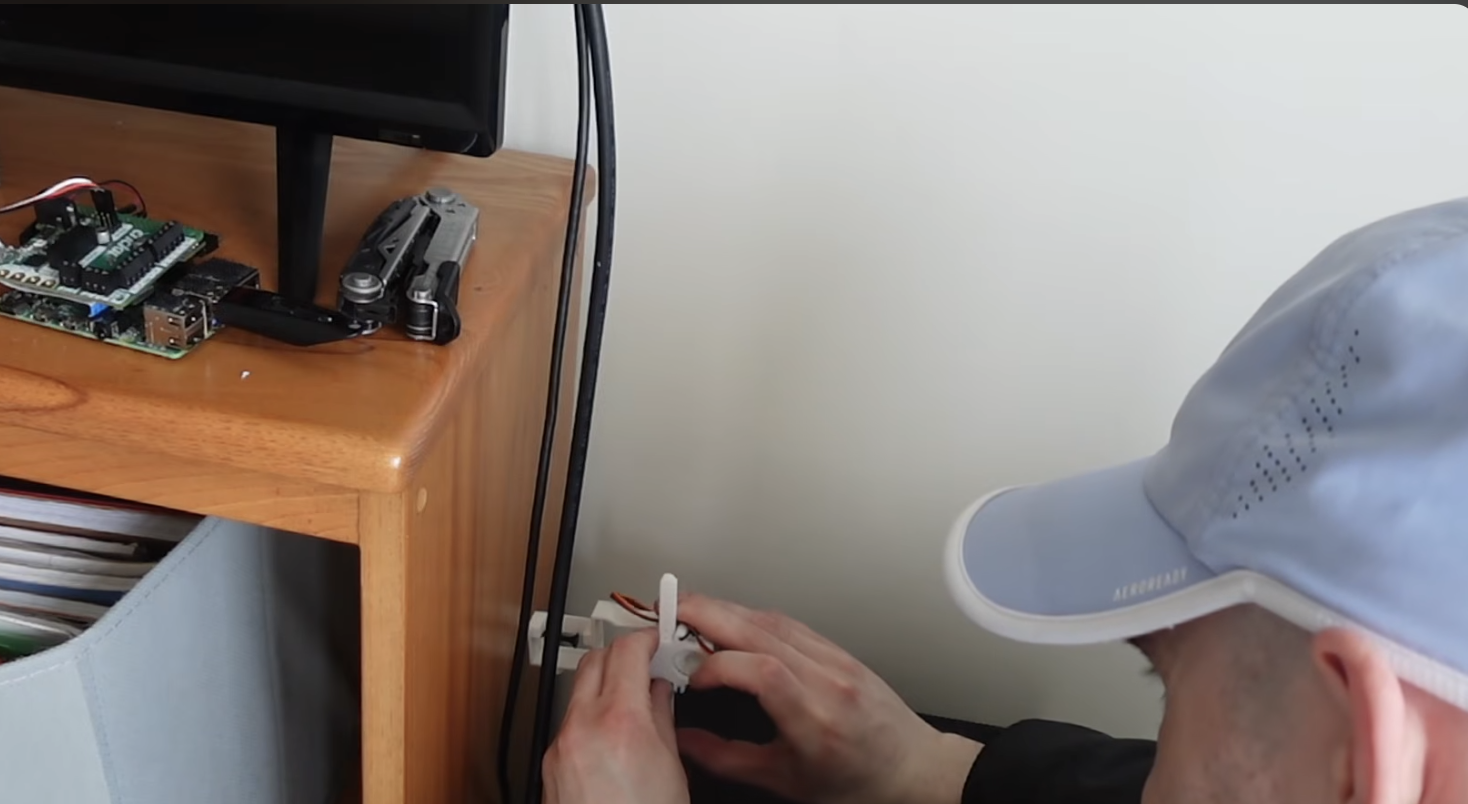
This allows me to keep my desktop in sleep mode when not in use, but access it remotely on the fly.
According to ChatGPT:
- Rasberry Pi power consumption: ~2–7 watts
- Desktop Computer (sleep mode): ~1-10 watts
- Desktop Computer (fully powered on): ~60–300+ watts
This solution allows for remote desktop access while drastically reducing desktop uptime.
Let’s be good stewards of the environment, in the era of AI.
One important note:
I’ve found that it’s best to run Chrome Remote Desktop in the browser on the desktop, versus in the free app. The free app is less apt to be in an “active” state once the desktop is turned on from sleep mode, which makes establishing a connection upon startup impossible.